
Ask questions and chat about this page directly in ChatGPT
Intro
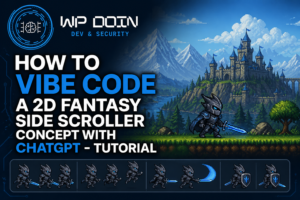
In my previous tutorial, I explored how to use ChatGPT to generate the concept for a 2D fantasy side-scroller, from creating pixel-art character sprites to animating a knight and building a scrolling background.
Now it's time to take that idea a step further.
This article presents V2 of the 2D side-scroller: a playable fantasy game prototype featuring a Dragon Knight, enemy encounters, a scrolling environment, and a dragon boss waiting at the end of the journey.
The goal was to move beyond a character moving across a canvas and create something that feels more like a small game. You can try the current version below and see how the original concept has evolved into an interactive experience.
If you're interested in the process behind the initial concept, start with the original tutorial: https://wp-doin.com/how-to-use-chatgpt-to-generate-a-2d-side-scroller-concept/.
Play the 2D Side-Scroller
The game puts you in control of an armored Dragon Knight exploring the Crimson Hollow. Defeat the enemy knights, advance through the environment, and confront the Ashen Wyrm guarding the pass.
Your objective: fight your way through the valley and reach the banner at the far end.
Distance: 0 / 0 m
Dragon Knight
A lone armored dragon-knight marches into the Crimson Hollow, where rusted
red knights guard the old roads. Defeat them, push forward, and confront the
Ashen Wyrm guarding the pass before reaching the banner at the far end of the valley.
←→ or
AD move ·
↑ / W / Space jump
· J / F attack
Game controls
The prototype uses familiar keyboard controls, making it easy to start playing without learning a complicated control scheme.
| Action | Controls |
|---|---|
| Move left | Left arrow or A |
| Move right | Right arrow or D |
| Jump | Up arrow, W, or Space |
| Attack | J or F |
Click Begin Quest to start your adventure. The game interface displays the knight's health, the number of enemies defeated, and the distance travelled.
The game is best experienced on a desktop computer with a keyboard.
What's New in V2?
The original experiment focused on the foundations of a 2D side-scroller: generating a character sprite, animating movement and attacks, and combining the character with a scrolling background.
V2 takes that foundation in a more game-oriented direction. Instead of simply testing animation on a canvas, the player is given an environment to explore, enemies to defeat, and a clear objective.
1. A playable fantasy adventure
The game takes place in the Crimson Hollow, a fantasy setting populated by hostile knights. The Dragon Knight must push forward through the valley, defeating enemies along the way.
Giving the player a defined objective makes the prototype more engaging than an isolated animation demo. Movement, combat, progress, and the final destination all contribute to a more recognizable gameplay loop.
2. Enemy encounters and combat
The player can attack enemies using the designated keyboard controls. The game also tracks the number of enemies defeated, providing immediate feedback as you progress.
Combat introduces additional technical challenges compared with basic movement. A playable action game needs to coordinate player input, character animations, enemy interactions, health, and the visual feedback that tells the player whether an action has succeeded.
Even a relatively small prototype can reveal how these systems need to work together.
3. The Ashen Wyrm boss encounter
The adventure culminates in a confrontation with the Ashen Wyrm, the dragon guarding the pass.
A boss encounter gives the game a clear destination and a reason to keep moving forward. It also provides a foundation for experimenting with more advanced mechanics, such as distinct attack patterns, damage phases, health bars, and different difficulty levels.
These are useful examples of how a simple side-scroller concept can grow into a more elaborate game over time.
4. A scrolling environment and progress indicators
The side-scrolling format creates a sense of movement through a larger world rather than confining the player to a single screen.
The interface also displays health, defeated enemies, and distance travelled. These elements help communicate the current state of the game without requiring the player to guess how much progress has been made.
Together, the environment and interface help turn the original visual concept into a more complete interactive prototype.
From AI-Generated Concept Art to a Playable Game
One of the most interesting aspects of this project is the progression from a visual idea to an interactive result.
In the original tutorial, I used ChatGPT to help generate a fantasy knight sprite sheet, prepare character animations, and create a background suitable for a side-scroller. I then combined those assets with JavaScript and HTML5 Canvas to implement movement, jumping, attacking, and a scrolling environment.
The V2 demo builds on that initial experiment by presenting the concept as a playable game rather than just a technical proof of concept.
This progression illustrates a useful approach to AI-assisted development: start with a small, testable idea and expand it in stages.
For example, a project like this can be divided into several practical steps:
- Generate the visual assets. Create the player character, enemies, backgrounds, and other elements needed to establish the game's visual identity.
- Implement the core mechanics. Add movement, jumping, attacks, and the game loop.
- Build the environment. Introduce scrolling, collision detection, and level boundaries.
- Add gameplay objectives. Give the player enemies to defeat and a destination to reach.
- Refine the experience. Test the controls, animations, difficulty, and interface, then address problems as they appear.
Breaking development into smaller stages makes it easier to understand what works, identify problems, and decide what to improve next.
It also reduces the risk of asking an AI coding assistant to implement too many interacting features in a single step.
What This Experiment Demonstrates About AI-Assisted Coding
AI tools can help accelerate prototyping, but generating code is only one part of building a working game.
A successful result also depends on how well the assets, mechanics, and user interface fit together. Character movement needs to feel responsive, attacks should provide understandable feedback, and the player should know what to do next.
When using an AI coding assistant, it's useful to evaluate each feature in the running application rather than relying only on the generated code or the assistant's explanation.
For a side-scroller, that means testing questions such as:
- Does the character respond correctly to keyboard input?
- Are jumping and movement consistent?
- Do attacks interact with enemies as intended?
- Are health and progress indicators updated correctly?
- Can the player understand the objective and reach the intended destination?
- Does adding a new feature affect mechanics that previously worked?
These checks are important even when the initial implementation appears convincing. AI-generated code can contain errors or make assumptions that don't match the intended design.
For a small experiment, hands-on testing may be sufficient to identify the most obvious issues. A larger project would benefit from version control, a clear specification, systematic testing, and code review.
The broader lesson applies beyond games: AI can help turn ideas into working prototypes, but careful iteration and technical judgment remain essential.
What Could Be Improved Next?
A playable prototype also provides a starting point for further experimentation. Several enhancements could make this side-scroller more polished and engaging.
More varied enemies and boss mechanics
Different enemy types could introduce different movement patterns, attack ranges, and defensive behaviors. The Ashen Wyrm could have multiple phases, forcing the player to adapt rather than repeat the same attack.
Improved combat feedback
Additional visual effects, sound cues, damage animations, and hit reactions could make combat feel more responsive. Small details often have a significant effect on how satisfying an action game feels.
More level design and progression
Additional environments, checkpoints, collectibles, and level-specific challenges could give the player more reasons to explore. A progression system could also introduce new abilities or gradually increase the difficulty.
Better accessibility and device support
Clear control instructions, adjustable difficulty, and responsive layouts could make the game easier to use. Mobile support would require special attention to touch controls, screen sizing, and the way the game handles different input methods.
These are potential directions for further development rather than claims about features currently implemented in the demo.
Explore More AI-Created Game Experiments
The Dragon Knight side-scroller is part of my broader exploration of AI-assisted development and game prototyping.
If you'd like to see how the project started, read the original tutorial:
- How to Use ChatGPT to Generate a 2D Side-Scroller Concept — the initial workflow for generating the character, animations, and scrolling environment.
- Claude-Created Projects — explore other experiments created with AI coding tools.
- How to Use Claude to Create a 2D Side-Scroller — a separate experiment exploring an AI-assisted approach to building a side-scrolling game.
Each project offers a different perspective on how AI tools can support experimentation, rapid prototyping, and iterative development.
Final Thoughts
The second version of the Dragon Knight side-scroller represents a step from generating a game concept toward presenting it as a playable experience.
Starting with AI-generated visual assets and a basic JavaScript implementation, the project evolved into a fantasy prototype with combat, enemies, progress indicators, and a final objective.
It is still an experiment rather than a finished commercial game, but that's precisely what makes projects like this useful: they provide a practical way to explore ideas, test tools, and learn how individual features come together.
Give the game a try and see how far you can get through the Crimson Hollow. If you have feedback or ideas for future improvements, feel free to leave a comment.
Try GRavity forms