
Ask questions and chat about this page directly in ChatGPT
Summary
Note: The content on this page was partially generated using an AI plugin for WordPress and is a test case of the plugin's capabilities.
At WordCamp Krakow, the author tests a WordPress AI plugin and notes that part of the post was generated with it. Initial setup was difficult because of connector approvals and generic output, requiring outside help.
The author finds the plugin useful once configured, especially for grammar fixes, summaries, and content improvements. The main criticism is the user experience, with AI settings, logs, and approvals spread across multiple menus and unclear error messages.
Intro
We're at WordCamp Kraków right now, just a short walk from the Old Town, together with Marcel, Jonathan, Weston, Aziz Ozbek David Burdelak.pl and the others. We're about to test the AI plugin and explore its features. Let's put it to the test and see what it can do.


Click on the image to enlarge.
Getting everything set up took a bit longer than expected. At first, it seemed straightforward, but I ran into a few issues with the connector plugin. The output was also a little too generic for my taste, so I ended up looking for some additional help.


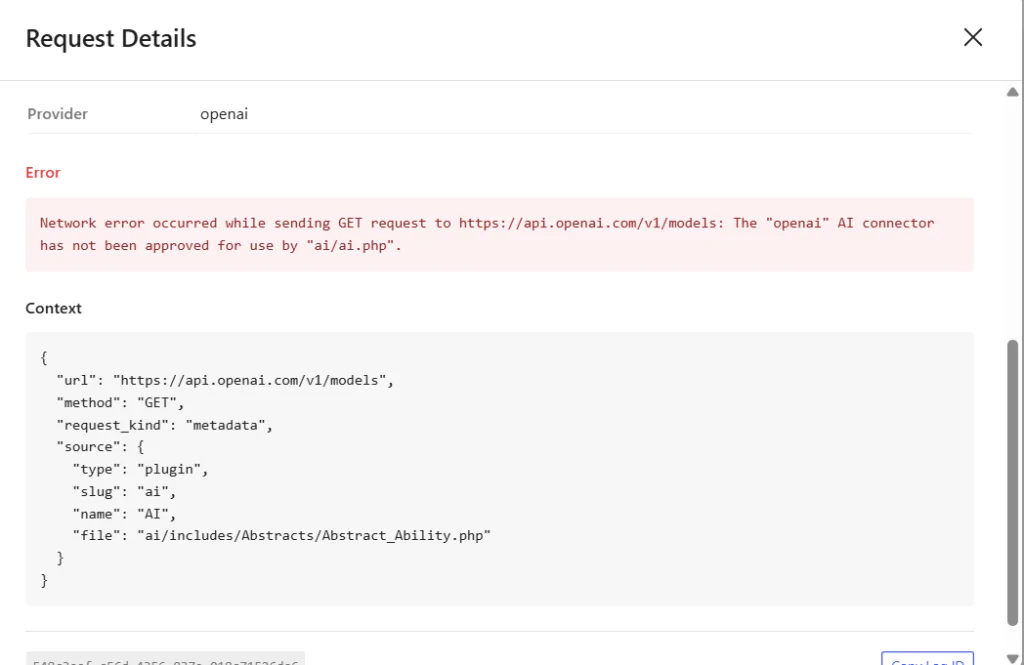
The error messages produced by the plugin aren't that clear. Click on the image to enlarge.
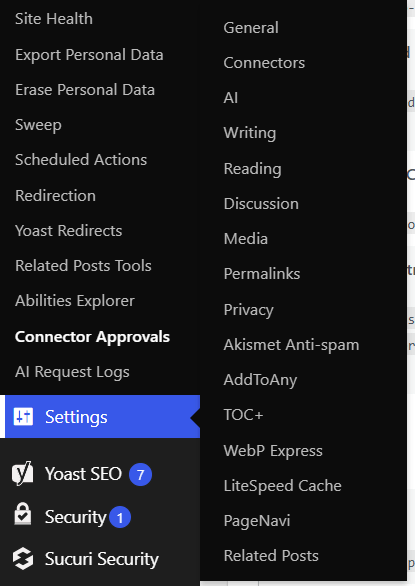
Marcel pointed me in the right direction and helped me troubleshoot the issue. According to the logs, the AI Connector plugin needed to be set to Approved under Tools → Connector Approvals. That was somewhat confusing, as I expected all AI-related settings and tools to be grouped together in a single dashboard section.
At the moment, they're spread across several different locations:
- Tools → Abilities Explorer
- Tools → Connector Approvals
- Tools → AI Request Logs
- Settings → Connectors
As a non-technical user, I'd expect everything related to AI to be available in one place. That would make the setup process much more intuitive.
AI plugin drawbacks and limitations
In my opinion the setup is quite confusing; neither are the error messages that clear, nor is the interface obvious. The error messages are a bit too generic, while the user interface has too many options spread across different admin pages.
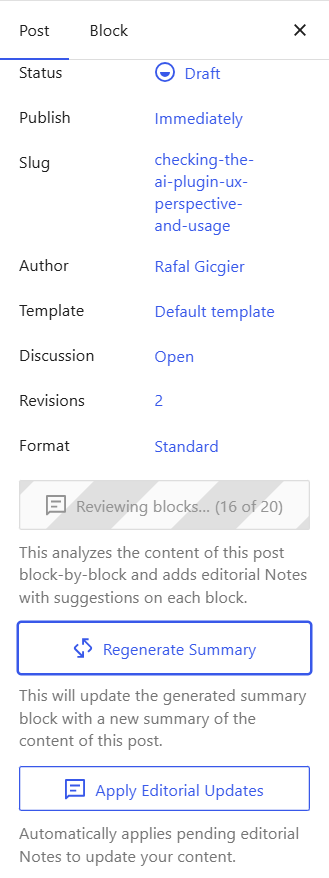
Without any user-specific welcome guide, I am not entirely sure where I should look for the settings (Tools or Settings?). How am I supposed to figure out what the Editorial notes generation failed message means and where to look it up?
Click on the image to enlarge.
What do you think of the featured image generated by the plugin?

Click on the image to enlarge.
AI Plugin Pros
With everything set up and figured out I think that the plugin features are quite interesting and well-placed. Fixing your posts grammar, ortography or writing a summary works out of the box and is not that expensive either.
Final notes
With the initial problematic set-up problems solved I find this plugin quite useful and interesting. With its integration into the WordPress interface I think it will facilitate the creation and content fixes, thus improving the speed and quality of one's experience with WordPress. The two questions arise:
- Are you willing to pay for these extra features?
- Are you going to use these features at all if you can get better results with manual ChatGPT prompts?