Ask questions and chat about this page directly in ChatGPT
Intro
AI coding tools make it possible to experiment with ideas that would otherwise require more time, coding experience, or a dedicated development team. One example is building a small 2D platform game using Claude Code.
In this tutorial, I'll walk you through my experience creating Nature Quest, a browser-based side-scroller built with AI assistance. I'll show you the prompts I used, how I gradually introduced new gameplay mechanics, what didn't work as expected, and what I learned from refining the game over multiple iterations.
The goal wasn't to create a commercial-quality game from scratch. Instead, I wanted to see how far I could take a simple idea with AI-assisted development-and how much the quality of the result depended on the way I described the task.
In this short post, I'll teach you what I learned while using Cladue code, to generate a simple 2D platform game. Along with examples of different prompts and approach to set-up a simple, yet effective gaming experience.
A note: this is a second post of this type, similar to the one I had worked on before. I used ChatGPT back then, and I figured Claude (especially the paid version) handled the coding of a side scroller better. Needless to say, both tools grow rapidly, so it's hard to say, which one is my preference as of now. You can read about my previous tries here: https://wp-doin.com/how-to-use-chatgpt-to-generate-a-2d-side-scroller-concept/.
What You'll Build
Nature Quest is a 2D side-scrolling action game featuring a playable hero, enemies, collectible power-ups, and a final boss encounter. As the project developed, I expanded the original concept with additional levels, characters, sounds, and interactive elements.
The finished version includes:
- Side-scrolling movement and a layered background.
- A player character with health and combat abilities.
- Enemies with different roles, including a boss.
- Collectible power-ups that change the player's abilities.
- Obstacles and additional gameplay elements.
- Multiple levels, selectable characters, and different music.
This project is also a useful example of an important distinction: generating code is only the beginning. Building something enjoyable requires testing, identifying problems, and repeatedly refining the result.
Watch the Gameplay TRAILER
Before diving into the prompts and development process, here's a look at the game in action.
I had previously experimented with generating a similar game concept using ChatGPT. For this project, I wanted to explore how Claude Code would handle the implementation and whether it would be easier to develop the game through an iterative workflow.
You can also read my earlier experiment: Generate a 2D Side-Scroller with ChatGPT.
1. Start with a Simple Game Concept
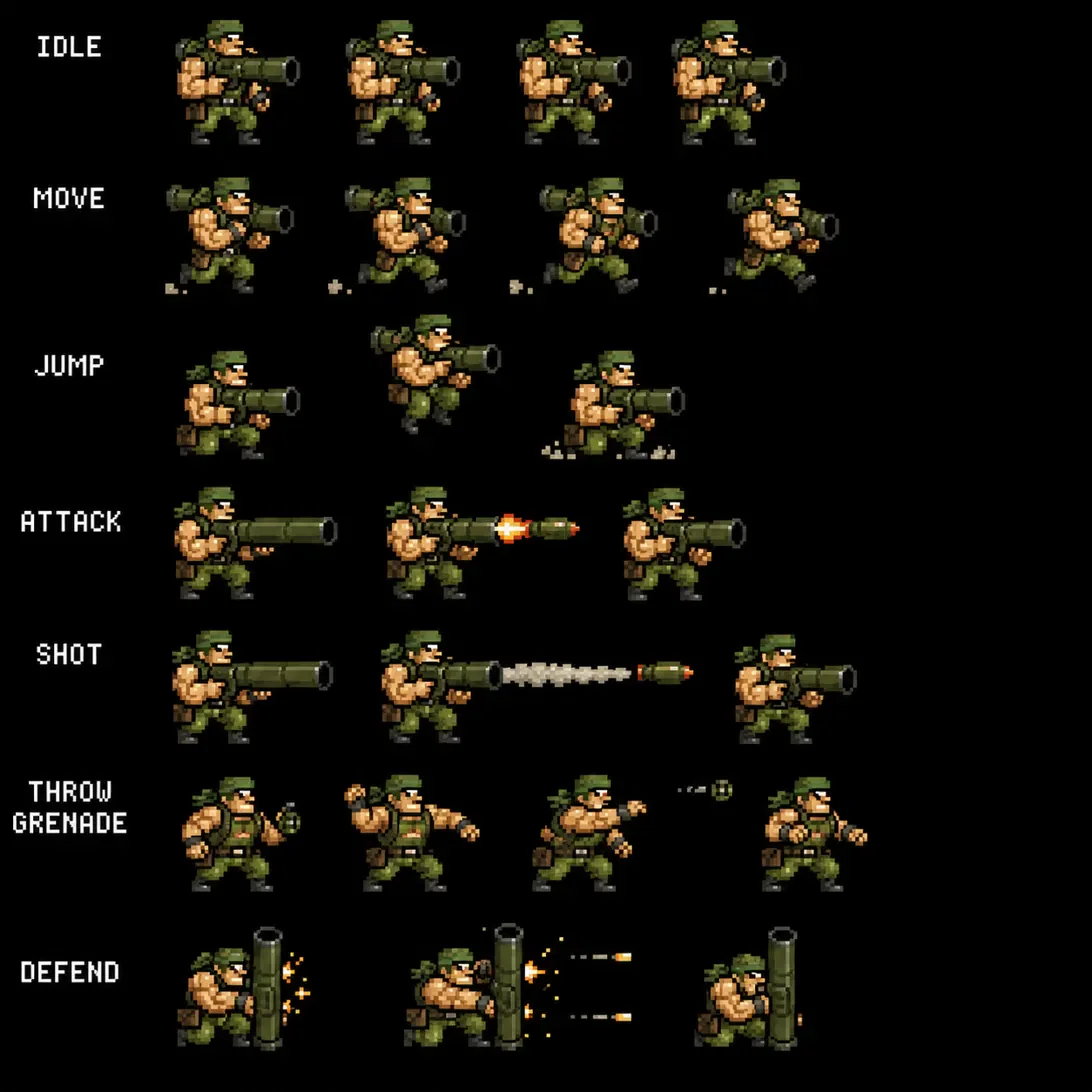
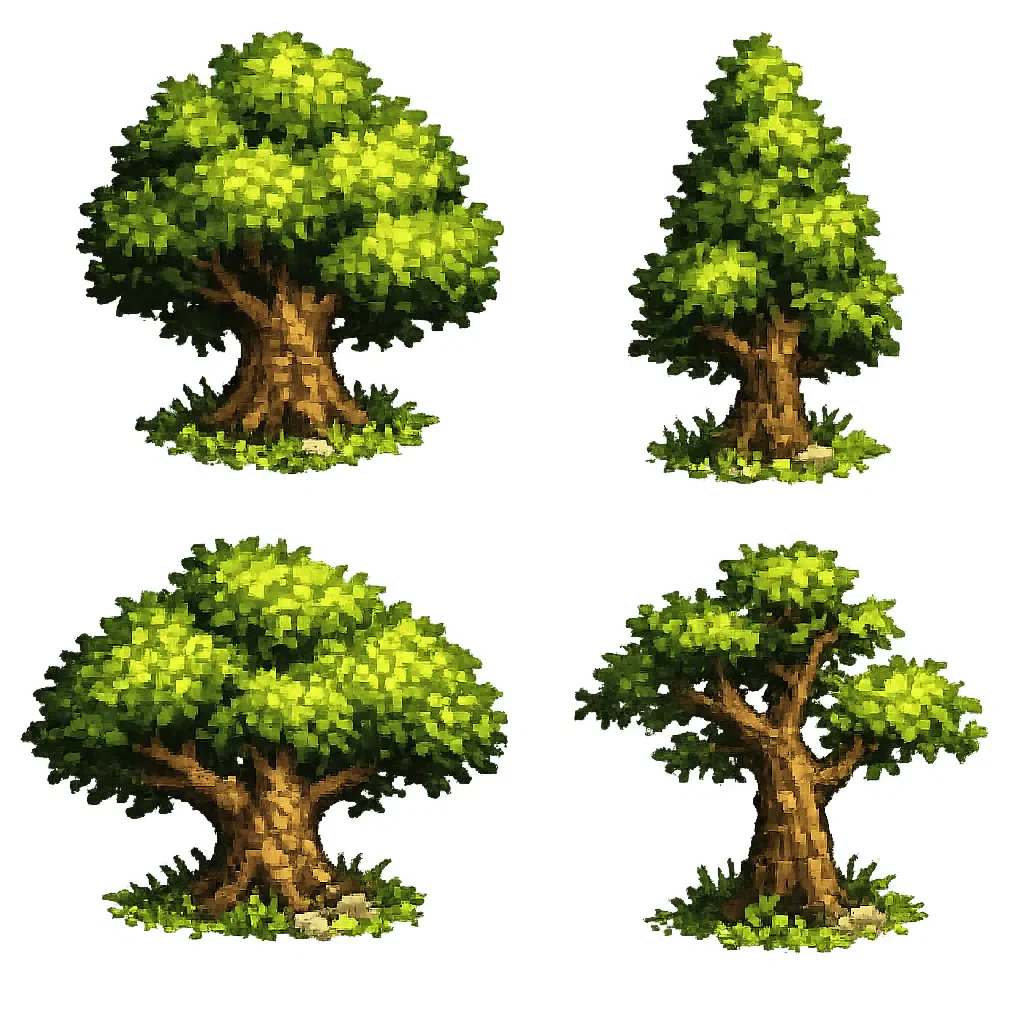
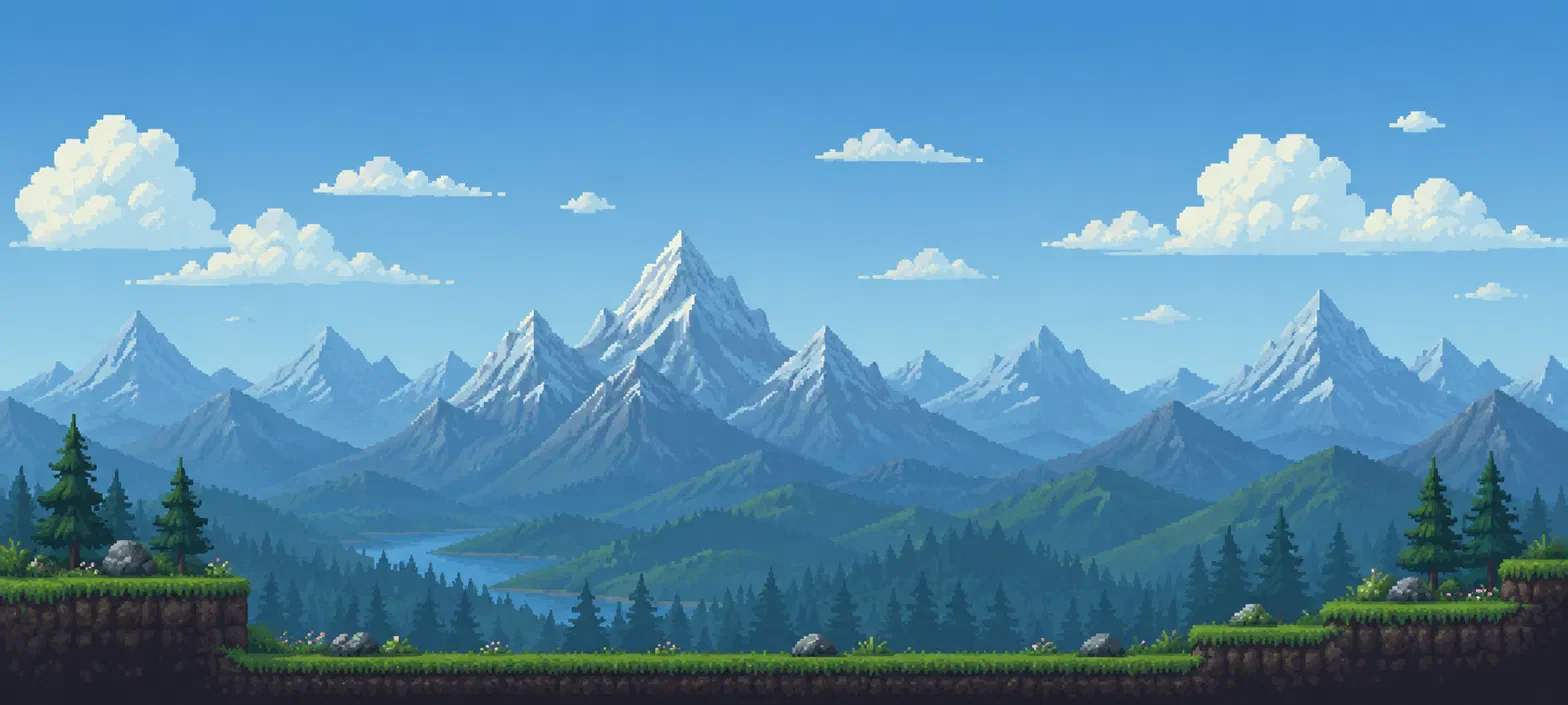
My first step was to prepare a small set of visual assets. These included the main character, a background, foreground trees, and an enemy. Rather than asking Claude Code to create the entire game in one enormous request, I supplied the assets and described how I wanted them to work together.
My initial prompt was straightforward:
Use these 4 assets to set me up with a simple side scroller - called, the nature quest.
I then described the key requirements:
- The hero should have five health points.
- The background should scroll as the player moves.
- The trees should move at a slightly different speed to create a parallax effect.
- The enemy should have its own health and basic AI-controlled behavior.
- The game should include movement, jumping, shooting, and defensive controls.
- Basic sound effects should play during important actions.
- The player's final score should depend on health and how quickly the enemy is defeated.
All of that, via a simple, single prompt:
Use these 4 assets to set me up with a simple side scroller - called, the nature quest.
The hero.png is our character with a healthbar of 5 points, the background.png is a background, which scrolls upon movement, the trees.png are in frount, one tree placed randomly once in a while. Both background and trees move at a slighlty different spead, so that they emulate a parallax.
Use the enemy.png for enemy who has 15 points of health and is controlled by ai.
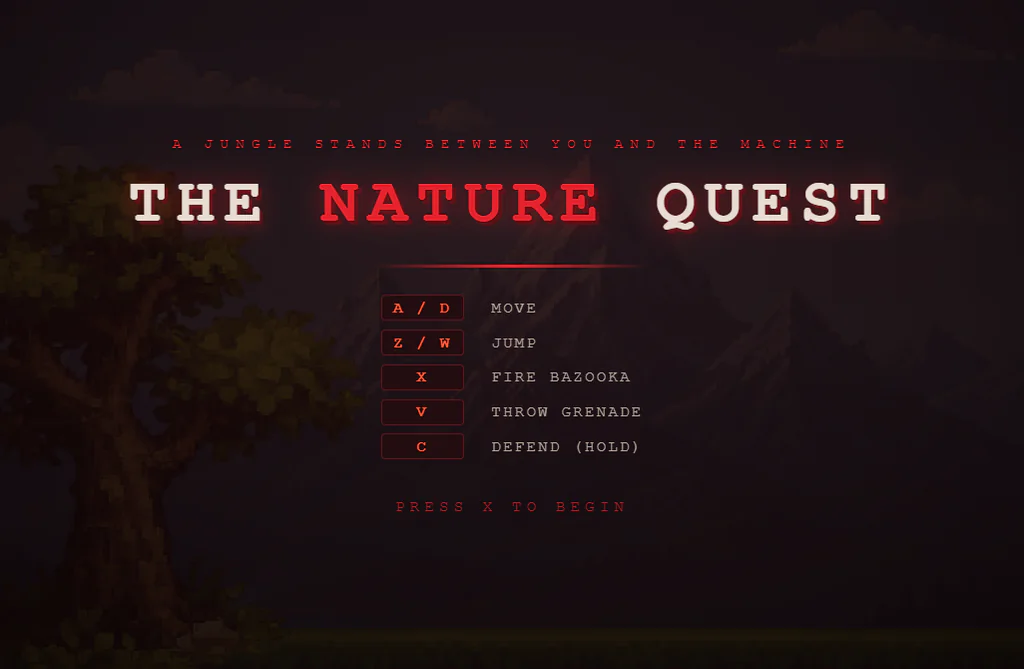
Make sure the game has red / dark UI, is controlled with wsad, x - shot, z jump, c - defend. Disregard mobile controls. Add simple shot, hit, jump, death sounds. Upon defeat the player explodes, upon win, the monster explodes. The more health you have and the faster you defeat the monster the more points you get.

Click to enlarge.
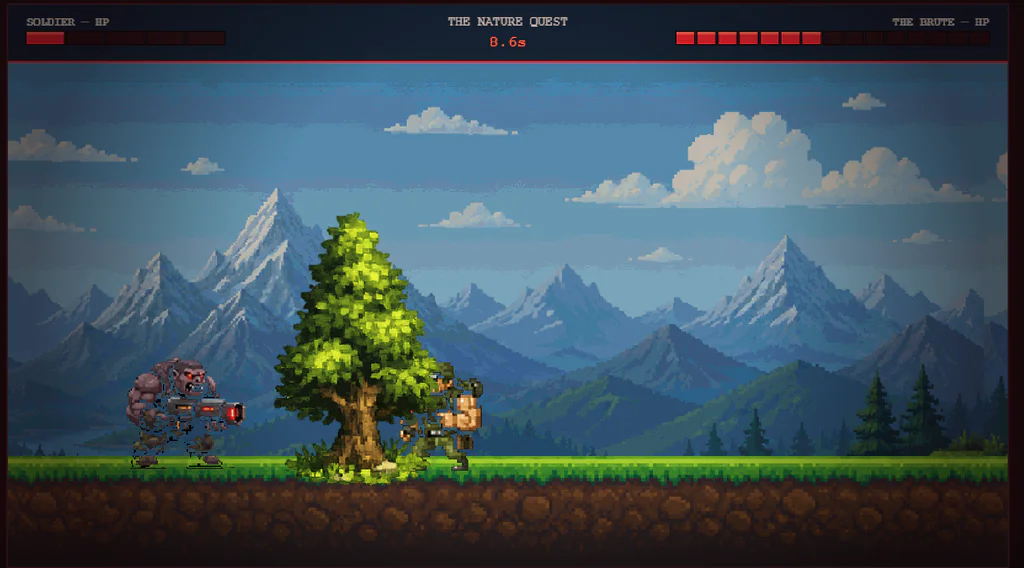
This was enough to get a playable prototype running. I could move around the environment and fight a single enemy, which gave me a useful foundation for the next stage.
However, the first version also exposed several problems. Some assets didn't blend naturally into the environment, the transparency of certain sprites needed improvement, and the gameplay felt too limited.
That was an important lesson: a working prototype isn't necessarily a finished experience. Getting the main mechanics running is one milestone; making the game feel coherent and enjoyable is another.
Click to enlarge.
2. Improve the Game Through Iteration
Once the basic game worked, I began adding features instead of trying to redesign everything at once.
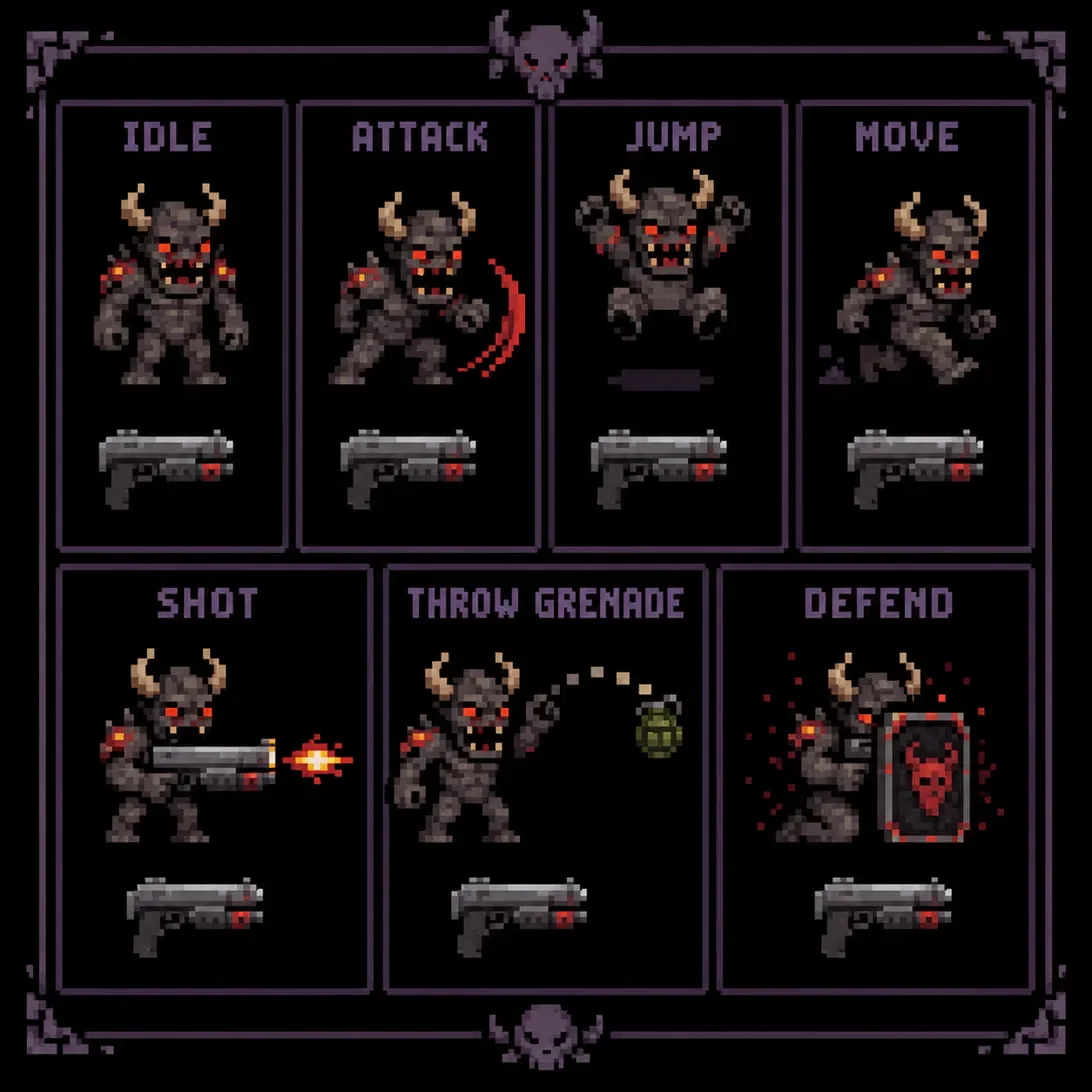
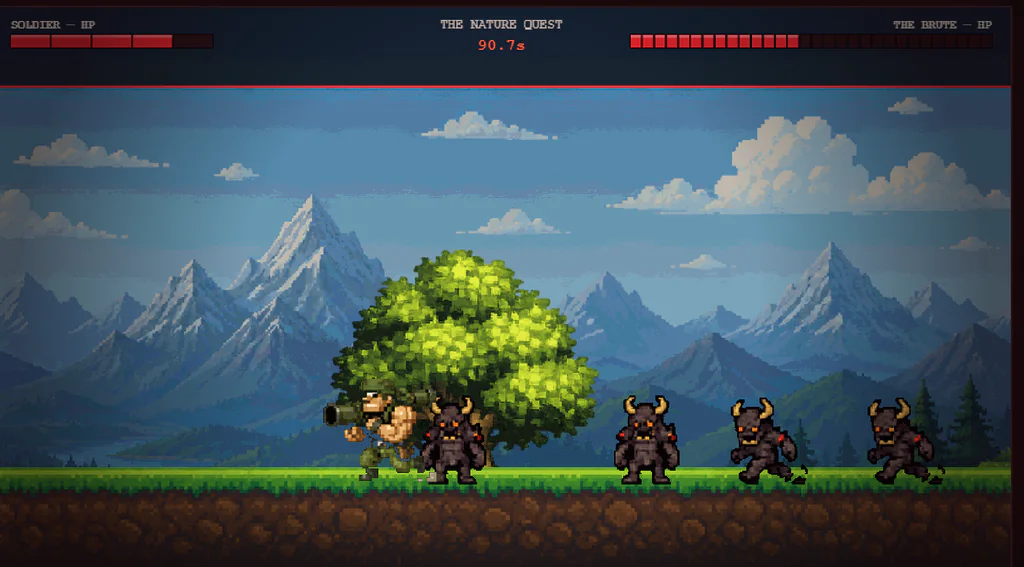
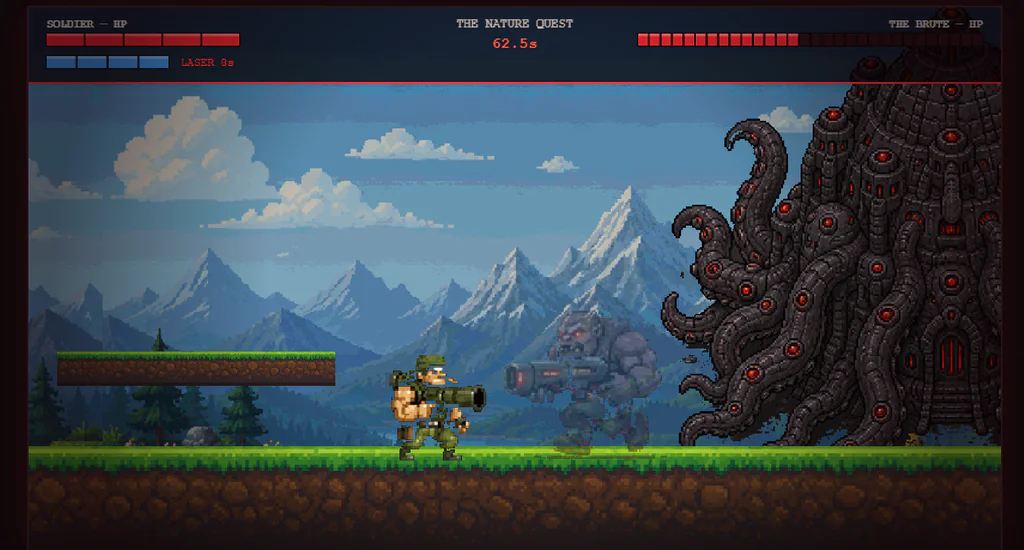
My first changes focused on making the gameplay more engaging. I introduced grenade throwing, additional enemies, obstacles, collectible power-ups, and a boss encounter.
Here are some examples of the prompts I used:
Add grenade throw to the hero, make sure that each point of health adds more bonus than speed.
Remove the cap from speed bonus. Increase the speed of granade throws and change the button to v instead of s.
Now move the trees behind the floor and slightly lower than it starts, so they don't stand out.
Add normal enemy, based on the attached sprite: simple-enemy.png.
The boss is reached after 60 seconds of playing, each normal enemy has 2 hp, add ability to jump on obstacles and one extra level of floor (use the floor sprite for that).
Then add those two powerups from the powerups.png sprite.
Health adds one health bar
Laser shoot laser - 2 points of damage, 15 seconds time
Armor - add 2 armor pieces, displayed below health
Speed - increase speed of movement and shotsPlace them randomly on the map, typically higher than the player, so that he could reach them with jumps.
When you come to boss show a red flashign text boss fight for a while, shake the screen and add a grunting noise.
I also described the behavior of individual power-ups, including health, armor, speed, and a temporary laser weapon.

Click to enlarge.
The difference was noticeable. Instead of facing a single enemy in an otherwise empty environment, the player now had more reasons to move, jump, collect items, and prepare for the final fight.
Click to enlarge.
Why incremental changes help
When working with an AI coding assistant, it's tempting to request every feature at once. That can work for a rough prototype, but it makes it harder to identify the cause of a problem when the result doesn't match your expectations.
A more controlled workflow is to:
- Establish the core gameplay.
- Test the result and identify the biggest problem.
- Request one coherent change or a small group of related changes.
- Test the updated version.
- Continue with the next improvement.
This approach makes it easier to review changes and correct misunderstandings before they spread throughout the project.
Play the first version
You can play the first version of the game, directly in the browser, by clicking on the following image. The game is hosted on my website and it's an HTML page. The game doesn't work on mobile, so you'll need a PC and a keyboard to play it.
3. Use Specific Prompts Instead of Long Explanations
One of the most useful lessons I learned was that longer prompts weren't automatically better.
Initially, I spent time writing detailed instructions that covered multiple changes in a single request. As the game became more complex, this approach became slower and less convenient to iterate on.
I started using shorter, more direct prompts. For example:
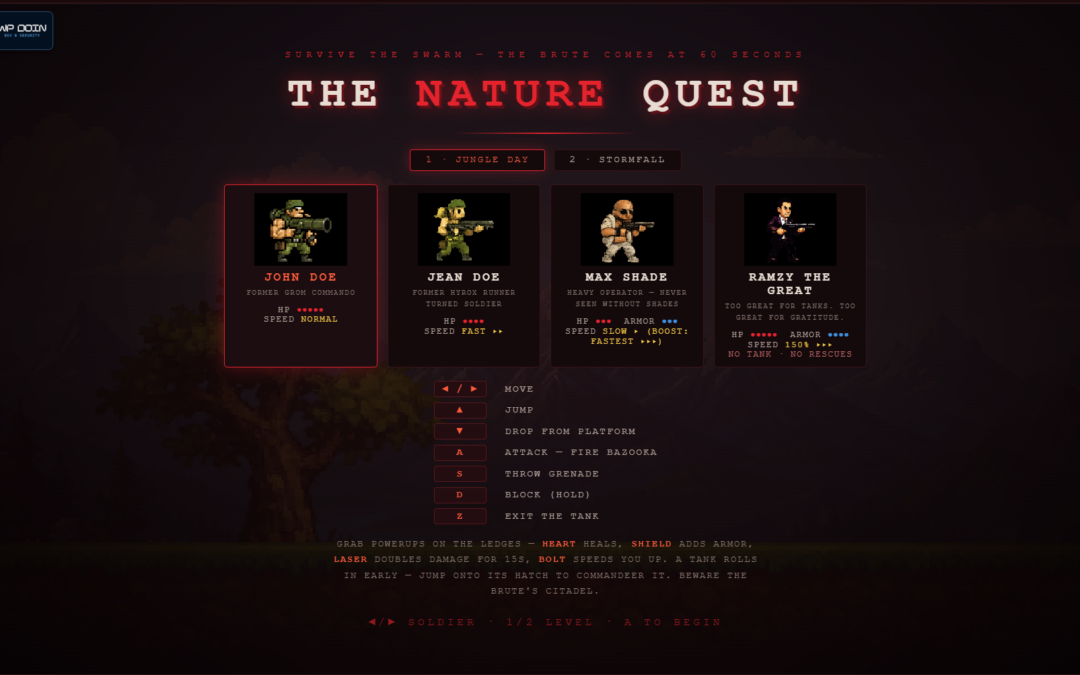
Change controls to:
- Movement with arrows
- Arrow up - jump
- Block - D
- Attack - A
- Grenade - S
Another example was a simple interaction:
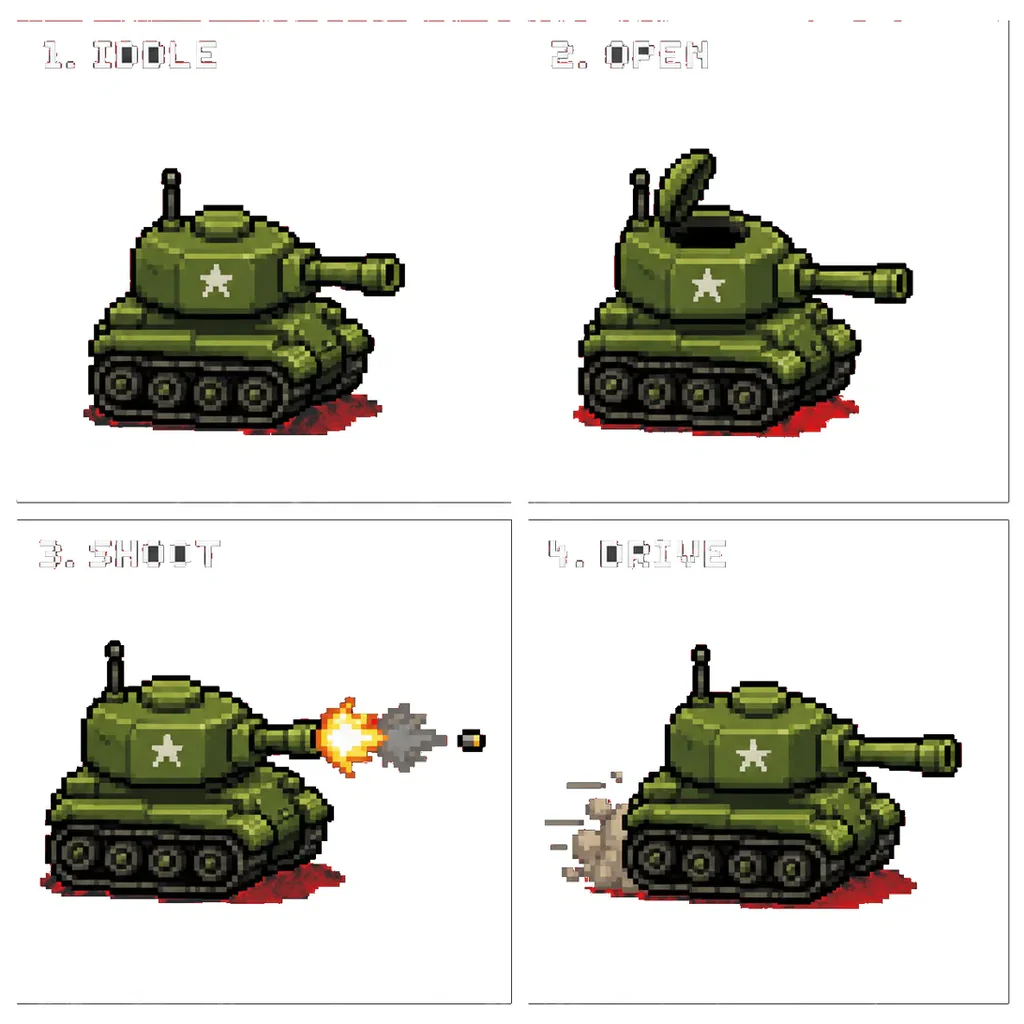
When tank is open, and nobody is in - show a message above - jump in!
These instructions describe a specific outcome without adding unnecessary explanation.
A practical prompt-writing formula
For your own AI-assisted coding projects, try structuring requests around four elements:
- Context: Which feature or part of the project are you changing?
- Action: What exactly should change?
- Expected behavior: How should the feature work?
- Constraints: What existing behavior must remain unchanged?
For example:
Update the player movement controls to use the arrow keys. The up arrow should make the character jump. Keep the existing attack and grenade controls unchanged.
This gives the coding assistant a clearer target and makes the result easier to verify.
Short prompts aren't a universal solution, however. Complex features often need more detail, particularly when they involve dependencies, edge cases, or interactions between different systems. The aim is to remove ambiguity—not to make every request as short as possible.
4. Add More Complex Gameplay Features
With the main mechanics in place, I began expanding the environment and introducing new interactions.
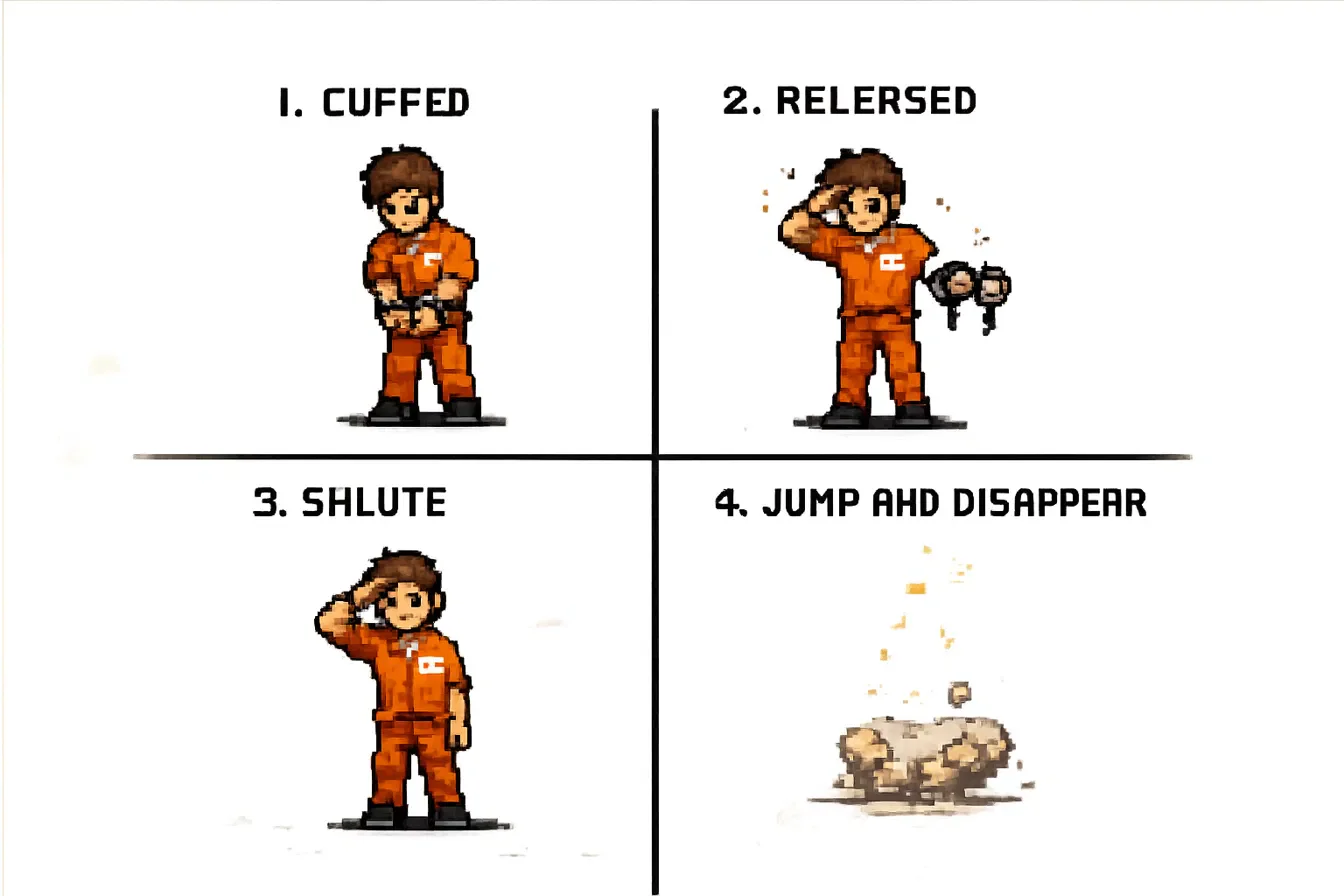
I added more visual assets, a character waiting to be rescued, and a tank the player could enter. These changes made the environment feel more interactive and gave the player additional objectives beyond fighting enemies.
Click to enlarge.
At this stage, the project was no longer just a test of whether AI could generate a side-scroller. It had become an exercise in managing a growing set of requirements.
Every new feature needed to fit into the existing game. A new character required appropriate visuals and behavior. A vehicle needed an interaction that made sense. Power-ups needed to affect gameplay in a predictable way.
This is where testing becomes particularly important. Even when an AI coding assistant produces code that appears correct, you still need to check whether the feature works in the actual game and whether it introduces unexpected side effects.
For a larger project, I'd also recommend keeping track of completed features, known bugs, controls, and the intended behavior of important systems. A short project specification can help maintain consistency across multiple coding sessions
5. Keep Testing the Actual Result
One of the most important parts of AI-assisted development is verifying the generated code rather than relying solely on the assistant's explanation.
During a project like this, I would check questions such as:
- Does the character move and jump as expected?
- Do enemies behave consistently?
- Are collisions and obstacles working correctly?
- Do power-ups activate and expire at the right time?
- Can the player reach the boss and finish the level?
- Are the controls and visual feedback clear?
- Does a new feature break something that previously worked?
When something goes wrong, describe the observed behavior and the expected behavior. If possible, include the relevant error message, screenshot, or a concise set of reproduction steps.
For example, instead of saying "the jumping is broken," explain when it fails, what happens on screen, and what you expected to happen. Specific feedback gives the coding assistant a more useful starting point for debugging.
AI-generated code can contain bugs, inefficient implementations, and assumptions that don't match your requirements. For projects beyond a small experiment, code review, appropriate testing, and version control are essential parts of the workflow.
6. The Final Result: Nature Quest
After 38 iterations, I reached a version I was happy with. The game had two levels, several characters to choose from, different music for each level, and a more complete gameplay loop.
The process wasn't completely linear. Some changes improved the game immediately, while others required additional adjustments. The biggest improvements came from testing the result, identifying what was missing, and giving Claude Code clearer instructions.
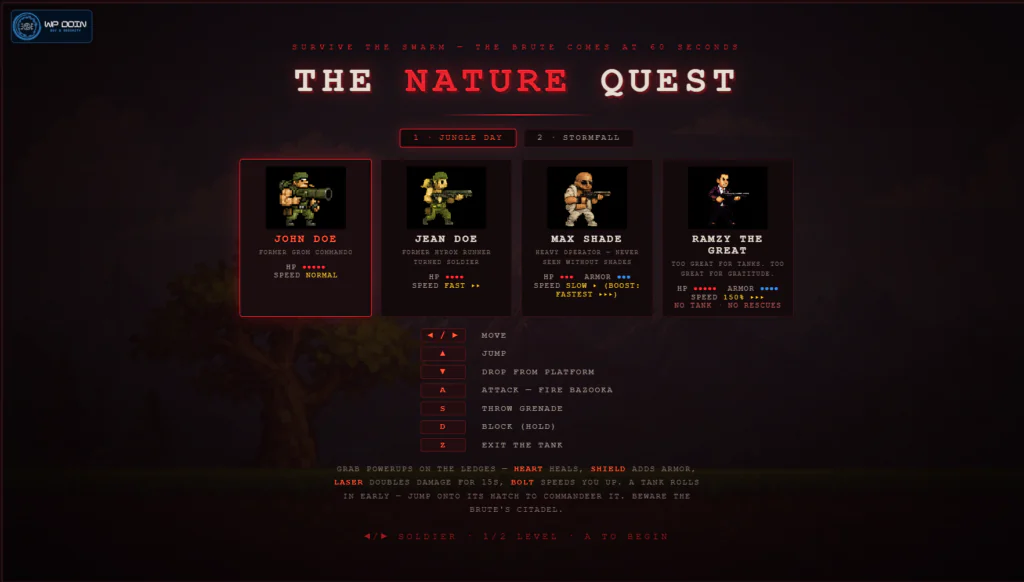
The game is hosted on my website as an HTML page. The current version uses keyboard controls and is intended to be played on a desktop computer rather than a mobile device.
7. What I Learned from Building a Game with Claude Code
Looking back at the project, a few lessons stand out.
Start small. A basic playable prototype gives you something concrete to evaluate. It's easier to improve a working foundation than to troubleshoot a large collection of features that have never been tested together.
Be precise about behavior. Describing what a character, enemy, or interaction should do is more useful than simply asking for a feature by name.
Iterate deliberately. Make related changes together, test them, and move on only when you understand the result. This reduces the risk of accumulating problems.
Treat visual assets as part of the development process. Generated code can't compensate for assets that don't fit together. Consistent scale, transparency, positioning, and visual style all affect the finished experience.
Review the output instead of assuming it's correct. AI coding tools can accelerate implementation, but they don't eliminate the need for debugging, testing, and sound technical decisions.
Keep an eye on usage and iteration costs. Depending on the tool and subscription, repeated requests can consume usage limits or credits. Clear requirements and focused iterations can make experimentation more efficient, although shorter prompts don't guarantee lower usage or better results.
Most importantly, AI-assisted coding works best as a collaborative process. You define the goal, evaluate the result, make decisions, and guide the next iteration.
Conclusion
Building Nature Quest was a practical way to explore AI-assisted game development with Claude Code. Starting with a few assets and a simple concept, I gradually developed a playable side-scroller with enemies, power-ups, multiple levels, and a boss encounter.
The experiment showed how quickly an idea can become a working prototype when you combine a clear goal with iterative development. It also reinforced that the quality of the final result depends on much more than the initial prompt.
If you're interested in experimenting with AI coding tools, a small game is a useful project to try. It gives you visible feedback, clear milestones, and plenty of opportunities to practice describing requirements, debugging generated code, and refining an idea.
More AI-assisted experiments
- Generate a 2D Side-Scroller with ChatGPT
- Explore More Projects Created with Claude
- Discover More AI Tools and Experiments
I continue to explore how AI tools can support practical development work, from rapid prototyping to experimenting with ideas that might otherwise remain on the drawing board.