
WordPress Security Expert
Hi, I’m Rafał Gicgier, a dedicated WordPress security specialist and full-stack WordPress developer with over a decade of experience. I build, secure, optimise and rescue WordPress sites for clients around the world. My focus lies especially in securing WordPress websites, performing WordPress malware removal, hardening WordPress installations and ensuring your site runs reliably and safely.
Proven track-record
Dedicated focus on security
Full-service approach
What I Offer
WordPress Security Services

WordPress Security Audit & Hardening
- Comprehensive review of your WordPress core, themes, plugins, file permissions, database access and server configuration.
- Implementing strong user-role management, secure login setups (2FA, captcha), limiting brute-force attack vectors.
- Enforcing SSL/HTTPS, HSTS, Content Security Policy (CSP) and other modern browser-based protections.
- Locking down admin and editor areas, securing wp-config.php, disabling dangerous functions, setting up proper file permissions.

WordPress Malware Removal & Site Rescue
- Deep scanning for malware, backdoors, suspicious code, rogue themes/plugins, hidden spam injections, SEO spam, malicious redirects.
- Removal of malware and cleaning of hacked WordPress installations; restoring from backup or rebuilding cleanly when needed.
- Fixing vulnerabilities that enabled the hack, closing access points, restoring site integrity and trust.
- Post-cleanup monitoring and support to ensure no residual threats remain.

Secure WordPress Configuration & Ongoing Maintenance
- Secure setup from scratch: themes, plugins, hosting environment (server/hardening), updating best practices.
- Regular maintenance: core/ plugin/ theme updates, security patching, database & file backups, malware monitoring.
- Performance & security go hand-in-hand: optimizing site speed while keeping the setup secure and resilient.
- Hosting recommendations & migrations to secure, high-performance WordPress hosts.

Initiate With Problem Identification
The process begins with a clear understanding of the issue: what is happening, when it started, and how it affects your WordPress environment. This ensures that all actions are precise, efficient, and tailored to your system.

Engage With Your Technical Team
When applicable, I collaborate directly with your in-house technicians, hosting provider, or external development team. This allows for a coordinated approach, reduces downtime, and ensures that all relevant parties understand both the problem and the solution.

Conduct a Thorough Investigation
I perform a full diagnostic review of the WordPress installation, file structure, database, server logs, user accounts, integrations, and hosting environment to reveal irregularities, vulnerabilities, or signs of compromise.

Determine the Root Cause
Using the findings from the analysis, I identify the exact source of the issue—whether it’s malware, a vulnerable plugin or theme, misconfiguration, unauthorized access, or a server-side weakness.

Outline a Clear Action Plan
Before any remediation begins, I provide a structured plan detailing required steps, timelines, responsible parties, and expected outcomes. This ensures transparency and alignment across all stakeholders.

Execute Targeted Remediation
I remove malware, backdoors, malicious code injections, infected files, unauthorized users, or problematic configurations. The goal is not just to fix the visible symptoms but to fully eliminate the underlying issue.
Pricing
WordPress Security Pricing
WordPress Security Pricing
Initiate With Problem Identification
Engage With Your Technical Team
Conduct a Thorough Investigation
Determine the Root Cause
Outline a Clear Action Plan
Execute Targeted Remediation
Implement Comprehensive Security Hardening
Educate Your Team for Future Prevention
F.A.Q.
Frequently Asked Questions
How do I know if my WordPress site has been hacked?
Common signs include unexpected redirects, unknown admin accounts, slow performance, strange files on the server, or warnings from Google or your hosting provider. If you notice any of these, it’s important to begin a WordPress malware investigation immediately.
How long does WordPress malware removal typically take?
Most simple cases are resolved within a few hours, depending on the severity of the infection and the complexity of your hosting environment. Each cleanup includes full malware removal, backdoor detection, and security hardening. Edge cases are discussed internally.
Will you tell us what caused the infection?
Yes. Identifying the root cause is a crucial part of the process. Whether it’s a vulnerable plugin, outdated theme, weak credentials, or server misconfiguration, you’ll receive a clear explanation of what allowed the breach and how to prevent it in the future.
Can you work with our internal technicians or development team?
Absolutely. I aim to collaborate with in-house teams to ensure a smooth, transparent WordPress security audit and remediation process. Coordinating with your technicians helps speed up the investigation and ensures long-term security alignment.
What does “securing WordPress” actually include?
A complete WordPress security hardening typically involves:
strengthening login and authentication
tightening file permissions
configuring secure hosting settings
updating WordPress core, plugins, and themes
installing monitoring & firewalls
removing unused or risky components
The goal is to minimize attack surface and protect your site from future threats.
Can you guarantee that the site won’t be hacked again?
No security professional can ethically guarantee that. However, with proper secure WordPress configuration, routine maintenance, and safe operational practices, the risk can be reduced dramatically. After cleanup, I provide guidance to help your team maintain a secure workflow.
Try Me
Let’s hop on a quick call and see how we can make something great happen together. Whether you’re curious, have ideas to share, or just want to connect, I’d love to hear your story and explore what we can create.
What They’re Saying
Customer Testimonials
Whatever the scenario – big-deal complex code, micro-design issues, sketchy legacy code – Rafal just gets it and finds a way through.
Rafal is a good communicator, works quickly and efficiently and his work is exemplary… I will most definitely employ him again.
I have been working with Rafal many years, always a pleasure, always reliable, always fast – if you need someone, work with him. Clear recommendation.
Satisfaction Guaranteed
Certified Codeable Expert Developer

⚡4.95/5
overall rating
⚡229
projects
⚡54
customers
2 weeks ongoing maintenance support
If I mess something up, I’ll fix it for free. Don’t be worried about being left alone.
Try Me
Let’s hop on a quick call and see how we can make something great happen together. Whether you’re curious, have ideas to share, or just want to connect, I’d love to hear your story and explore what we can create.

Cyber Security: Anonymous Browsing

Cyber Security: Hackers Exposed
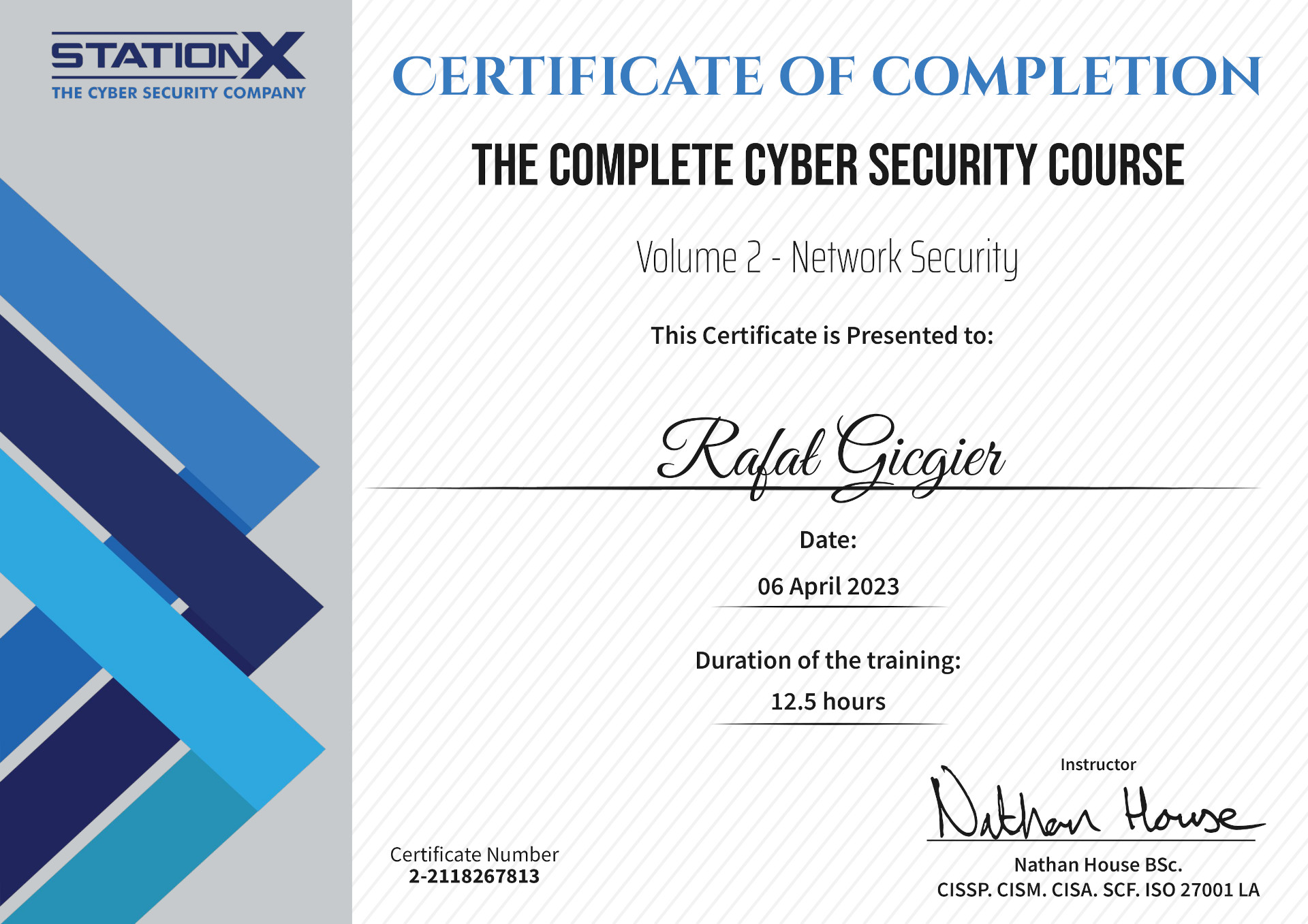
Cyber Security – Network Security