Echo Assistant is available throughout the tutorial-just select any text and click “Ask Echo” to get more detailed information on the topic.
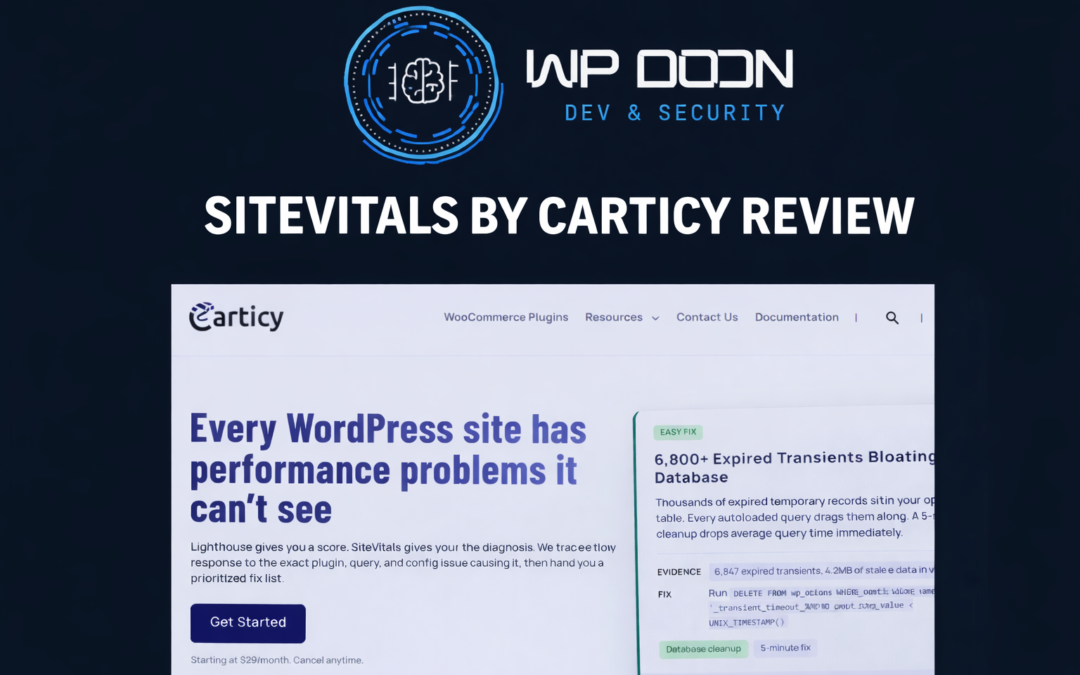
SiteVitals is a WordPress and WooCommerce profiler built to uncover the real reasons stores slow down in production.
Rather than acting like a generic diagnostics dashboard, it profiles live PHP execution, WordPress hooks, plugin callbacks, database queries, frontend delivery, and WooCommerce transaction paths using real visitor traffic.
Unlike synthetic speed tools, it works as a production profiler for WordPress and WooCommerce, analyzing live traffic, slow PHP execution paths, callback costs, hook overhead, database anomalies, and checkout bottlenecks.
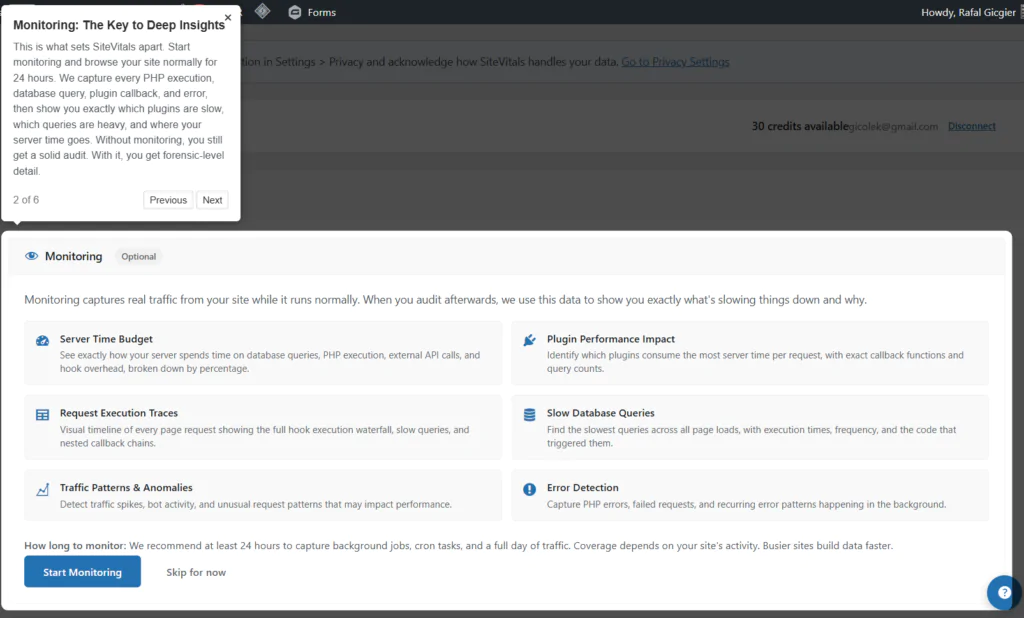
Upon installing the plugin you’ll be welcome with the useful and intuitive tutorial on how to use the plugin.
The result is a prioritized, forensic-grade fix list that tells store owners exactly which plugin, callback, query, template path, or server misconfiguration is costing performance and conversions.
Core Features of SiteVitals
What I really like about SiteVitals is that it brings together nearly every meaningful optimization and profiling capability you’d want for a WordPress or WooCommerce site. It approaches website improvement from multiple angles – performance, database health, caching, SEO, security, and conversion flow – rather than focusing on just a single metric.
Instead of relying on a patchwork of separate tools, everything is available in one centralized workspace. That not only makes the process far easier to manage, but also significantly more convenient when working across multiple client websites or ongoing optimization projects.
More importantly, having all of these insights connected in one place makes it much easier to spot relationships between issues that would otherwise stay hidden when using standalone tools.
Tracks real customer traffic, not synthetic lab tests
Pinpoints which plugin, callback, database query, or server setting is causing delays
Provides a prioritized fix list with plain-English remediation steps
Designed specifically for WordPress and WooCommerce bottlenecks, including checkout, gateways, HPOS, product data, and sessions
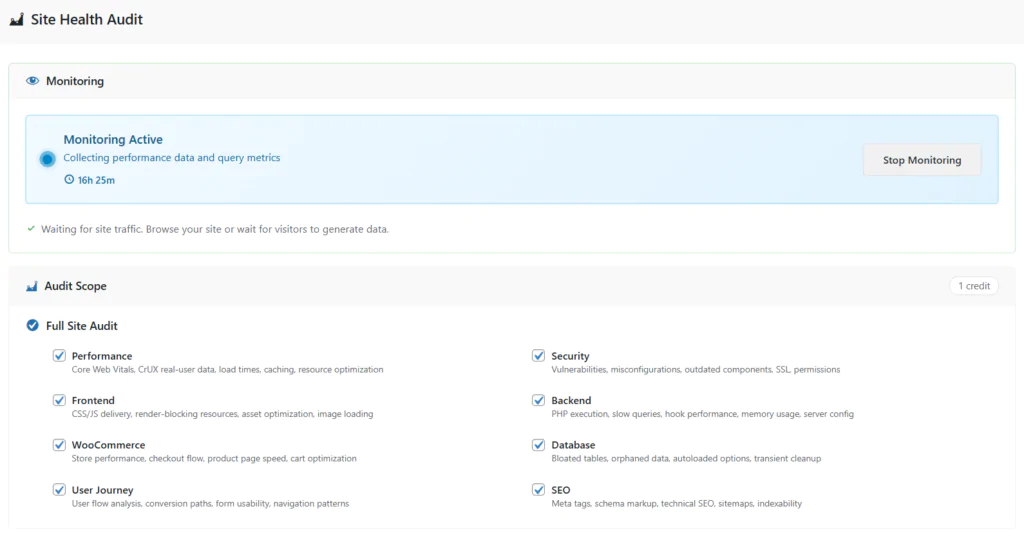
SiteVitals offers a great deal of audit options – all in one place.
Examples of issues SiteVitals detect
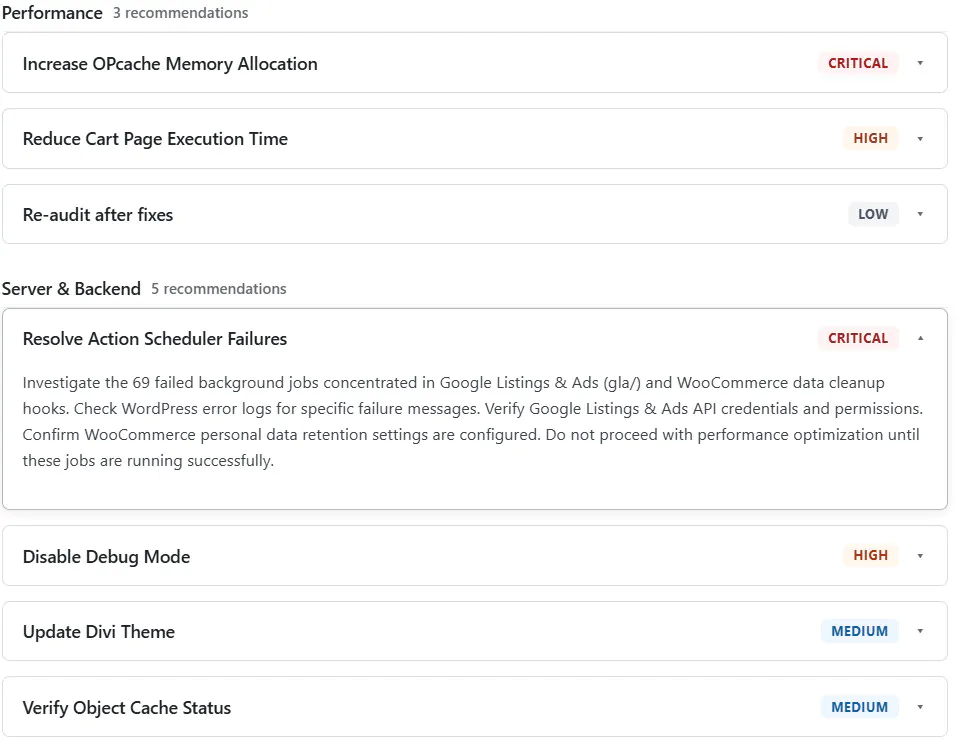
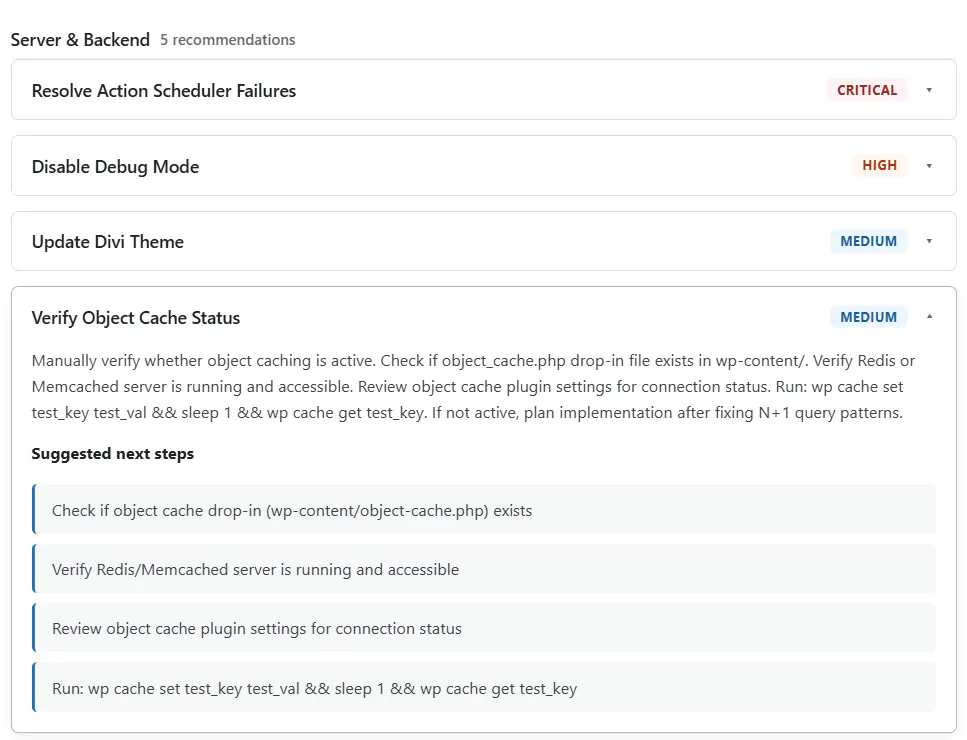
The number of issues the SiteVitals plugin can detect is impressively extensive, and at first glance it can feel almost overwhelming. That said, the level of detail provided for each finding is what makes the report truly valuable – the explanations are clear, actionable, and often essential for prioritizing the right fixes.Some of the more impactful issues it can uncover include:
OPcache memory exhaustion, causing PHP files to be recompiled on cache misses
Plugins making blocking external API calls on every request, increasing server response time
Expired transients bloating wp_options, slowing down page generation
Duplicate N+1 query patterns that multiply database load unnecessarily
Static assets incorrectly routed through PHP instead of being served directly
Broken or ineffective caching layers, silently wasting server resources
What makes this especially useful is that these are often the kinds of hidden problems that remain unnoticed when using isolated speed, SEO, or database tools separately.
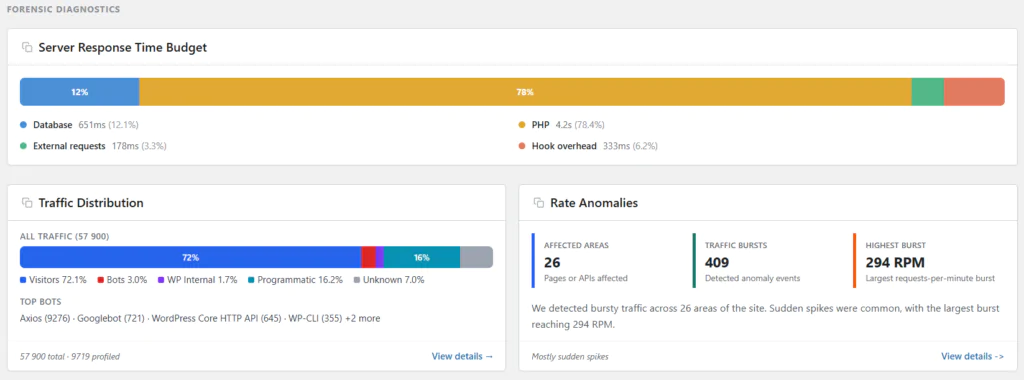
SiteVitals Interface Server Side Bottlenecks
SiteVitals Database Problems – example response
8 audit dimensions of SiteVitals
It goes far beyond basic speed testing, auditing multiple critical areas of your website to provide a full operational and conversion-focused health profile:
Technical SEO – schema, metadata consistency, crawlability, canonicalization, and sitemap validation
User journey & conversion – navigation paths, form friction, traffic source behavior, and conversion bottlenecks
The SiteVitals optimization recommendations are exceptionally detailed and genuinely useful. For anyone with a technical background—whether that’s a developer, performance specialist, or agency engineer—the level of insight is extremely valuable.
Site Vitals Optimization Details 2
Site Vitals Optimization Details
SiteVitals – Export Tools
With all it’s rich features the plugin allows one to export their audit in two different formats: a PDF Report or a Markdown. This is especially useful when results need to be shared with clients crew, other developers, or other stakeholders. Both formats provide clean, easy-to-review, and presentation-friendly structure.
Site Vitals Audit Exports
How SiteVitals work
Install a lightweight connector plugin.
Connect with your carticity account.
Let it collect production data for a few days.
Generate a forensic report with discovered issues and fixes.
Pricing of SiteVitals
The plugin currently offers three pricing tiers, each varying by feature access and the number of available credits, making it easy to choose a plan based on the size of your workflow or client portfolio. For a full breakdown of included features, limits, and credit allocations, check the plugin’s pricing page.
Starter: $29/month
Pro: $79/month
Business: $149/month
Final Notes & Review of the SiteVitals plugin
The plugin is still in its early stages and currently has a relatively small user base, but based on the testing I’ve done so far, it’s extremely promising.
What stands out most is that it delivers an all-in-one profiling and audit workflow that runs quietly in the background, making it both practical and highly effective. In my own tests, it uncovered significantly more issues across client websites than my previous workflow of combining multiple specialized tools.
I can genuinely see this becoming a standard part of every WordPress and WooCommerce maintenance or optimization workflow. Running it across each client site gives you a comprehensive backlog of performance, database, SEO, security, and conversion improvements, many of which can naturally become high-value upsell opportunities beyond the client’s original scope.
The most surprising part is how many hidden issues it surfaces – problems that are easy to overlook even with an experienced technical process.
I highly recommend keeping a close eye on the development of this tool.
By browsing through the site and filling in the Contact Forms you agree to our PRIVACY POLICY. Moreover WP doin website uses COOKIES to improve your experience. We assume you're ok with this, but you can opt-out if you wish. ACCEPTREJECTCookie settings
Privacy & Cookies Policy
Privacy Overview
This website uses cookies to improve your experience while you navigate through the website. Out of these, the cookies that are categorized as necessary are stored on your browser as they are essential for the working of basic functionalities of the website. We also use third-party cookies that help us analyze and understand how you use this website. These cookies will be stored in your browser only with your consent. You also have the option to opt-out of these cookies. But opting out of some of these cookies may affect your browsing experience.
Necessary cookies are absolutely essential for the website to function properly. This category only includes cookies that ensures basic functionalities and security features of the website. These cookies do not store any personal information.
Cookie
Duration
Description
cookielawinfo-checkbox-advertisement
1 year
Set by the GDPR Cookie Consent plugin, this cookie records the user consent for the cookies in the "Advertisement" category.
cookielawinfo-checkbox-analytics
1 year
Set by the GDPR Cookie Consent plugin, this cookie records the user consent for the cookies in the "Analytics" category.
cookielawinfo-checkbox-functional
1 year
The GDPR Cookie Consent plugin sets the cookie to record the user consent for the cookies in the category "Functional".
cookielawinfo-checkbox-necessary
1 year
Set by the GDPR Cookie Consent plugin, this cookie records the user consent for the cookies in the "Necessary" category.
cookielawinfo-checkbox-others
1 year
Set by the GDPR Cookie Consent plugin, this cookie stores user consent for cookies in the category "Others".
cookielawinfo-checkbox-performance
1 year
Set by the GDPR Cookie Consent plugin, this cookie stores the user consent for cookies in the category "Performance".
CookieLawInfoConsent
1 year
CookieYes sets this cookie to record the default button state of the corresponding category and the status of CCPA. It works only in coordination with the primary cookie.
Functional cookies help to perform certain functionalities like sharing the content of the website on social media platforms, collect feedbacks, and other third-party features.
Cookie
Duration
Description
__cf_bm
30 minutes
Cloudflare set the cookie to support Cloudflare Bot Management.
aet-dismiss
never
Disqus sets this cookie for the functionality of the website’s comment system.
badges-message
never
Disqus sets this cookie for the functionality of the website’s comment system.
drafts.queue
never
Disqus sets this cookie for the functionality of the website’s comment system.
submitted_posts_cache
never
Disqus sets this cookie for the functionality of the website’s comment system.
Performance cookies are used to understand and analyze the key performance indexes of the website which helps in delivering a better user experience for the visitors.
Cookie
Duration
Description
__jid
30 minutes
Disqus sets this cookie to remember the user's Disqus login credentials across websites that use Disqus.
Analytical cookies are used to understand how visitors interact with the website. These cookies help provide information on metrics the number of visitors, bounce rate, traffic source, etc.
Cookie
Duration
Description
__gads
1 year 24 days
Google sets this cookie under the DoubleClick domain, tracks the number of times users see an advert, measures the campaign's success, and calculates its revenue. This cookie can only be read from the domain they are currently on and will not track any data while they are browsing other sites.
_ga
1 year 1 month 4 days
Google Analytics sets this cookie to calculate visitor, session and campaign data and track site usage for the site's analytics report. The cookie stores information anonymously and assigns a randomly generated number to recognise unique visitors.
_ga_*
1 year 1 month 4 days
Google Analytics sets this cookie to store and count page views.
_gh_sess
session
GitHub sets this cookie for temporary application and framework state between pages like what step the user is on in a multiple step form.
brwsr
1 year 1 month 4 days
This cookie is set by the provider Impact Radius. This cookie is used for affiliate marketing.
CONSENT
2 years
YouTube sets this cookie via embedded YouTube videos and registers anonymous statistical data.
disqus_unique
1 year
Set to record internal statistics for anonymous visitors.
Advertisement cookies are used to provide visitors with relevant ads and marketing campaigns. These cookies track visitors across websites and collect information to provide customized ads.
Cookie
Duration
Description
__gpi
1 year 24 days
Google Ads Service uses this cookie to collect information about from multiple websites for retargeting ads.
DSID
1 hour
This cookie is set by DoubleClick to note the user's specific user identity. It contains a hashed/encrypted unique ID.
IDE
1 year 24 days
Google DoubleClick IDE cookies store information about how the user uses the website to present them with relevant ads according to the user profile.
test_cookie
15 minutes
doubleclick.net sets this cookie to determine if the user's browser supports cookies.
VISITOR_INFO1_LIVE
5 months 27 days
YouTube sets this cookie to measure bandwidth, determining whether the user gets the new or old player interface.
YSC
session
Youtube sets this cookie to track the views of embedded videos on Youtube pages.
yt-remote-connected-devices
never
YouTube sets this cookie to store the user's video preferences using embedded YouTube videos.
yt-remote-device-id
never
YouTube sets this cookie to store the user's video preferences using embedded YouTube videos.
yt.innertube::nextId
never
YouTube sets this cookie to register a unique ID to store data on what videos from YouTube the user has seen.
yt.innertube::requests
never
YouTube sets this cookie to register a unique ID to store data on what videos from YouTube the user has seen.